

Kora Founders Edition Install 3.8 | Powerblocks Communications Daisy Chain
Install the communications link between the Smart Panel and the Powerblocks.

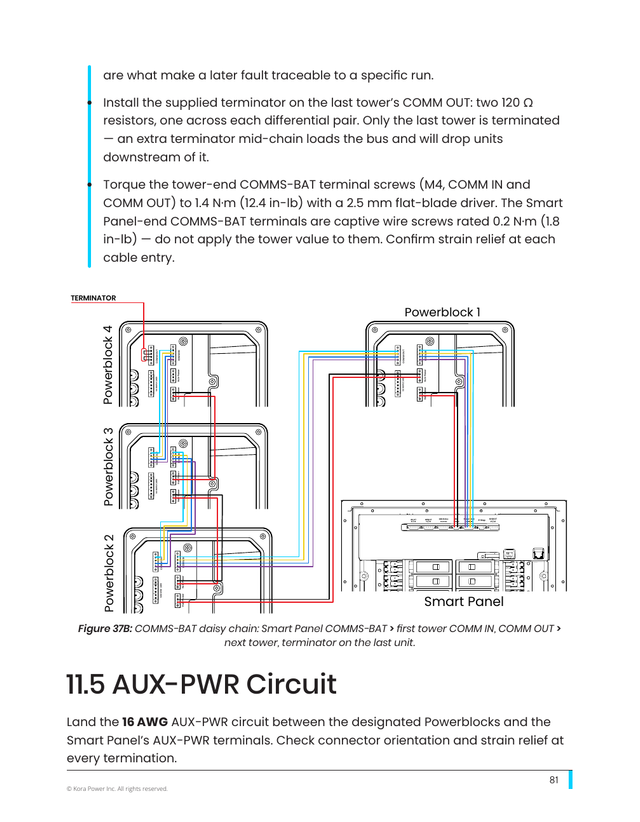
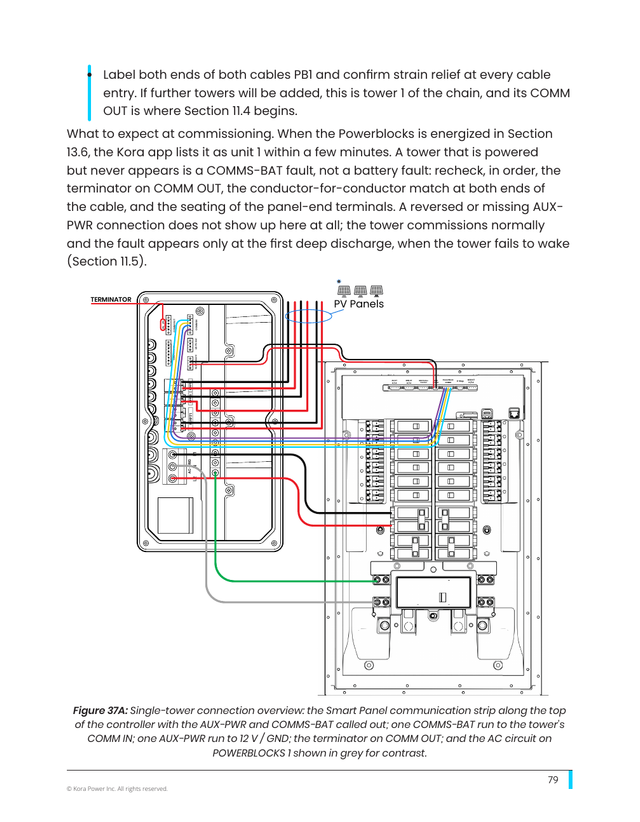
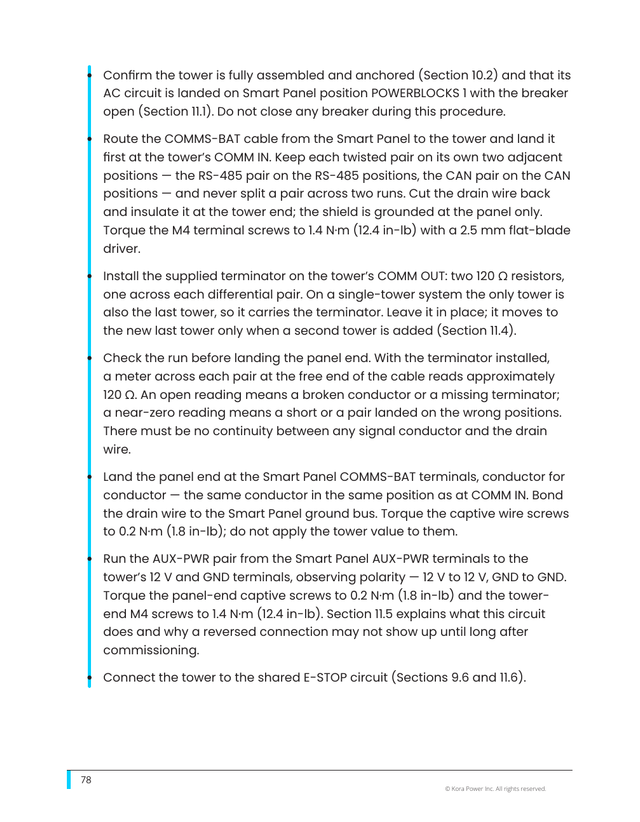
Install the communications between the Smart Panel and the Powerblocks. The towers are daisy-chained with 18-gauge signal cable to the Smart Panel's COMMS-BAT terminals.
Run from the COMM OUT of one unit to the COMM IN of the next, and follow the manual's daisy-chain diagram for the panel connection and termination.
Key steps
- Use 18-gauge signal cable
- Daisy-chain COMM OUT of one unit to COMM IN of the next
- Connect the chain to the Smart Panel's COMMS-BAT terminals as shown in the manual
Part of the Kora Smart Panel installation series for licensed electricians installing the Kora Founders Edition. Previous: 3.7 Connecting Powerblocks to the Smart Panel. Next: 3.9 Solar-Ready Hybrid Inverter.
From the manual
The matching pages from the Kora Smart Panel & Powerblocks Installation Manual. Always follow the manual and local code.
Share: